Clean, easy interface, great for working as a team of two. The built-in AI saves me about an hour a day on drafting and follow-ups, and the integrated newsletter tool (with several editing modes) replaced a separate subscription. Everything we need for our agency's email in one place.
Valerian R.Rated 5/5 on G2
Shipmail allows me to use several custom domain email addresses for 4€/month. It was easy to make the transition from Protonmail thanks to their importer tool. I wire Shipmail to Claude using the connector, so my agents manage my emails, prioritize and create calendar events, draft replies and send me alerts.
Loic L.Rated 5/5 on G2
Shipmail is extremely helpful for managing multiple accounts or emails, letting me set up and view all handles under one interface. It integrates well with my AI workspace, facilitating management of AWS services. The setup was super fast, and it's much more affordable than Google Workspace.
Joseph Y.Rated 5/5 on G2
I need private, hosted email that isn't tied to a specific service, affordable enough to handle multiple mailboxes, and not locked down behind specific apps and services. Shipmail does all three with ease. It's fast and reliable with responsive support, very transparent about its features, very clear on its instructions.
Nadia K.Rated 5/5 on G2
I work in a small creative production studio, and we like shared inboxes. Really useful in our case. This is a very easy, straightforward, and inexpensive way to get custom emails for your company.
Olga B.Rated 5/5 on G2
We don’t have a big team so this was an ideal option. At any hiccup, we would shoot an email and it would be resolved within the same day or the next day.
Maia B.Rated 5/5 on G2
I really appreciate the simplicity and efficiency of the Shipmail dashboard, which allows me to centralize the management of my contact emails from different projects in one place. The initial setup was very simple thanks to clear onboarding.
Martin R.Rated 4.5/5 on G2
I really appreciate the fast customer support and the strong mailing platform. Shipmail services vs value is the best in the market
Shareef A.Rated 5/5 on G2
The API and MCP server are the product, not an afterthought. It lets us rely almost exclusively on Claude for everything email-related, from technical setup to day-to-day operations.
Ricardo L.Rated 5/5 on G2
Everything in one place, easy to use, easy to understand, and I get a domain directly. No need to go on multiple platforms.
Intro callPapertrail Studio · 30 min · Google Meet
Mon21Tue22Wed23Thu24Fri25
9:3010:0011:3014:0015:3016:00
Confirm booking
Wednesday 23
Team standup9:00 – 9:30Intro call · Lena10:00 – 10:30Google MeetJoinDesign review11:00 – 12:00 · Studio Nova officeLunch with Nina12:30 – 13:30 · Time Out Market9:0010:0011:0012:00
Shipmail is modern email for your business. Inboxes, calendars, newsletters, bookings, an AI assistant, and an API for your agents, all in one subscription.
You pay per mailbox, not per person. Solo is $4/month for 2 mailboxes, like you@ and hello@. They work in our webmail and in the email app you already use.
The same account also sends your app's emails, like sign-in links and receipts, through the API. Your AI agents can read, reply and send from your mailboxes through the API or our MCP server, in tools like ChatGPT and Claude. No second email provider.
Moving from Google Workspace or Microsoft 365? Keep your domain and bring your old email with you.
What counts as a mailbox?
A mailbox is a separate inbox that can send and receive email, with its own storage and login, such as hello@yourdomain.com. An alias is an extra address that delivers to an existing mailbox.
What about aliases?
Each mailbox in your plan adds two aliases to an organization-wide pool. You can use that pool across any of your mailboxes. An alias is an additional address that delivers into an existing mailbox without creating another inbox or login.
Team members vs mailboxes: what's the difference?
Team members are the people who log in to your dashboard. They're unlimited on Team and Scale. Mailboxes are the inboxes you create, like hello@yourdomain.com, each with its own login and storage. When you pick 150 mailboxes on Scale, that's 150 inboxes, not a cap on how many people can sign in.
Can I use multiple domains?
Yes. Paid plans support up to 50 custom domains in one organization with no per-domain fee. Use one domain or add domains for each project, product, or client. You pay for mailboxes, not domains.
Can I use my own email client?
Yes. Apple Mail, Thunderbird, Outlook, or any email app you already use.
Do you support catch-all addresses?
Yes. Receive email sent to any address on your domain, even ones you haven't created yet.
How much mailbox storage is included?
Solo and Pro include 15 GB per mailbox. Team and Scale include 25 GB. A Solo or Pro mailbox can be set to 25 GB total for $1 per month or $10 per year. Any paid mailbox can be set to 50 GB total for $2 per month or $20 per year, or to 100 GB total for $4 per month or $40 per year.
Are there sending limits?
Yes. Regular email and newsletters have separate monthly limits. Regular sends are pooled across your whole organization: Solo includes 20,000, Pro includes 40,000, and Team includes 120,000, however many mailboxes you create. Scale adds 10,000 per mailbox. A regular email counts as one send no matter how many recipients it has. Solo includes 1,000 newsletter sends, Pro includes 5,000, and Team includes 25,000. One newsletter sent to one subscriber is one send. Add 10,000 newsletter sends without changing plans for $10/month or $100/year.
How many newsletter subscribers can I have?
Solo includes 500 active subscribers, Pro includes 2,500, and Team and Scale include 10,000 across unlimited audiences. Add another 10,000 for $10/month or $100/year. The same email address only counts once across audiences.
Can my team work together on newsletters?
Yes. Owners and Admins can work on newsletters and grant newsletter editor access to Members. Editors can create and edit drafts, upload media, run preflight checks, and send tests. Audience data, newsletter settings, deletion, and scheduling require Owner or Admin access. Solo includes one member, Pro supports up to five, and Team and Scale support unlimited members.
How does the free trial work?
Every plan starts with a 14-day free trial. You enter a card at checkout but aren't charged until the trial ends. Cancel before then from the billing page and you pay nothing.
Can I switch plans?
Anytime. Upgrades and downgrades take effect immediately with prorated billing.



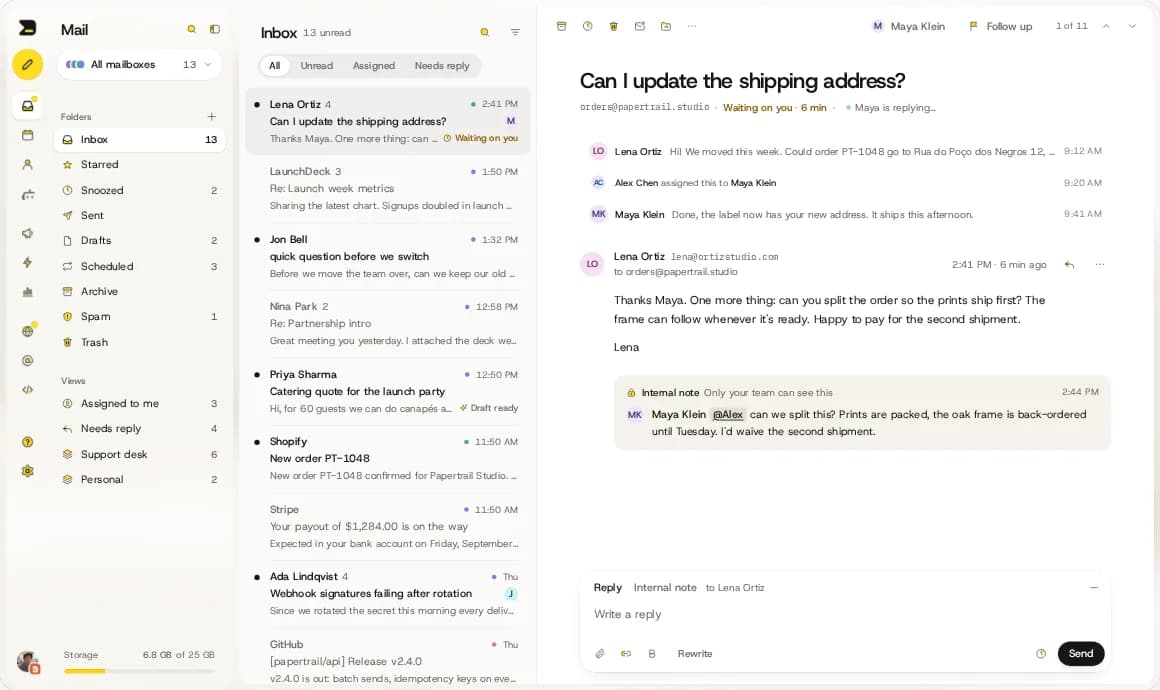


 Lena OrtizCan I update the shipping address?
 Maya
Maya Jon BellQuick question before we switch
 Alex
Alex Priya SharmaCatering quote for the launch party

