BlogCalendly
Calendly alternatives: 5 booking page tools priced for 1 and 3 people
If you're looking for a Calendly alternative, you probably want more than one event type without paying $10 to $12 a seat, or you want fewer subscriptions. Below are five options, with US prices checked on each vendor's own page on October 15, 2026. For each one you'll see what you need before it works and which video links it creates. Shipmail is our product, and we say where another tool is the better pick.

Founder of Shipmail, the email platform for businesses and their AI agents. Every guide here draws on mail servers running in production.
- Calendly
- Booking pages
- Scheduling
- Calendar
Short answer
Cal.com is the closest Calendly alternative: free for one person with unlimited event types, and $12 per user a month for teams. If you already pay for Google Workspace Business Standard or Microsoft 365, booking pages are included. Shipmail includes booking pages with Zoom or Google Meet links in every plan, from $4 a month with business email on your domain. Calendly's free plan allows one event type; Standard is $10 per seat a month billed yearly.
What Calendly costs today
Calendly is free for one event type. Standard costs $10 per seat a month billed yearly, and Teams costs $16.[1]
- Free: one event type and one calendar connection. Video links from Zoom, Google Meet and Microsoft Teams work on the free plan.
- Standard: $10 per seat a month billed yearly, $12 billed monthly.
- Teams: $16 per seat a month billed yearly, $20 billed monthly.
- Standard Plus at $18 and Teams Plus at $24 billed yearly, and Enterprise from $15,000 a year for at least 50 seats.
- Standard adds unlimited event types, Stripe and PayPal payments, and reminders. Teams adds round-robin scheduling and routing forms.
The free plan is the reason most people look elsewhere. One event type means one meeting length: a 15-minute intro call and a 60-minute consultation already need Standard. A team of three on Teams pays $48 a month billed yearly, or $576 a year. Every paid plan is priced per seat, so a part-time colleague who takes two calls a month costs the same as a full-time one.[1]
Booking page tools: price for 1 person and for 3
| Tool | 1 person / 3 people, per month | Video links on bookings | Pick it when |
|---|---|---|---|
| Calendly[1] | $0 (one event type) or $10 / $48 on Teams, billed yearly | Zoom, Google Meet, Microsoft Teams, on every plan | You need round robin and routing forms for a sales team |
| Cal.com[2] | $0 / $36, billed yearly | Google Meet, Teams, Zoom, Cal Video | You want Calendly's features for less, or open source |
| Google CalendarSources[4]Google Calendar Help: premium appointment schedule features[5]Google Workspace pricing[6]Google Workspace payment plans | $0 for one booking page / $42 on Workspace Business Standard | Google Meet | The team already pays for Workspace Business Standard |
| Microsoft BookingsSources[7]Microsoft Bookings overview[8]Microsoft 365 Business pricing | Included in Microsoft 365, from $7 / $21 on Business Basic, billed yearly | Microsoft Teams | The team already works in Microsoft 365 and Teams |
| Zoho BookingsSources[9]Zoho Bookings pricing[10]Zoho Bookings integrations | $0 / $18 on Basic, billed yearly | Zoom, Google Meet, Teams, Zoho Meeting | You want a cheap paid plan per person |
| ShipmailSources[11]Shipmail pricing[12]Shipmail booking pages documentation[13]Shipmail conferencing documentation | $4 / $9, with business email included | Zoom, Google Meet | You want booking pages, email and a newsletter on one bill |


What a booking page needs to do
A booking page needs to check every calendar you use, offer more than one meeting type and create a video link for each booking. It should also send a calendar invite the guest can reschedule or cancel from.
- Check every calendar you use, so a dentist appointment in a personal calendar blocks the slot.
- Offer more than one meeting type, such as a 15-minute intro and a 60-minute session.
- Leave buffers between meetings and refuse bookings at short notice.
- Create a video link for each booking with the tool your clients use.
- Send a confirmation with a calendar invite, and let the guest reschedule or cancel without writing to you.
- Show your brand, not the tool's, if clients see the page before they have met you.
The tools below differ in which of these the free or cheapest plan includes and in the price per person. They also create links for different video providers, and some subscriptions cover email too.
Cal.com: the closest match
Cal.com is free forever for one user, with unlimited event types and calendars. That alone covers the most common reason to leave Calendly. Teams costs $12 per user a month billed yearly, and Organizations $28. The page shows no price billed monthly.[2]
It lists Google Meet, Microsoft Teams, Zoom and its own Cal Video among more than 20 conferencing tools, and integrates with over 100 apps. Pick Cal.com if you want Calendly's way of working at a lower price and nothing else changes.[2]
Google Calendar appointment schedules
A personal Google account or Workspace Business Starter can create a single booking page, with Google Meet as the meeting location. For many freelancers that is enough, and it costs nothing extra.Sources[4]Google Calendar Help: premium appointment schedule features[3]Google Calendar Help: appointment schedules
More than one booking page, email reminders, availability across several calendars, payments, email verification and co-hosts are premium features. On Workspace, booking pages are listed from Business Standard, at $14 per user a month on the annual plan. Google One plans also unlock them for personal accounts.Sources[4]Google Calendar Help: premium appointment schedule features[5]Google Workspace pricing[6]Google Workspace payment plans
Microsoft Bookings
Bookings comes with Microsoft 365 Business Basic, Business Standard and Business Premium, and with Teams Essentials. Business Basic is $7 per user a month, paid yearly. Each appointment booked as an online meeting gets its own Teams link.Sources[7]Microsoft Bookings overview[8]Microsoft 365 Business pricing
There is no free version. If your company already pays for Microsoft 365, Bookings costs nothing more. If it does not, buying 365 for booking pages alone is the expensive route.[7]
Zoho Bookings
Zoho Bookings has a free plan for one user with online meetings, reminders and two-way sync with Zoho, Google and Microsoft calendars. Basic is $6 per user a month billed yearly or $8 monthly; Premium is $9 or $12.[9]
Bookings can create Zoom, Google Meet, Microsoft Teams or Zoho Meeting links automatically. The integration page does not say which plan includes each one, so test the provider you use on the free plan first.Sources[10]Zoho Bookings integrations[9]Zoho Bookings pricing
Shipmail: booking pages included with your business email
Shipmail is business email, and booking pages come with every plan. Solo is $4 a month for 2 mailboxes and 1 person. Pro is $9 for 4 mailboxes and 5 people, and Team $29 for 12 mailboxes and unlimited people. There is no per-seat charge for booking.Sources[11]Shipmail pricing[12]Shipmail booking pages documentation
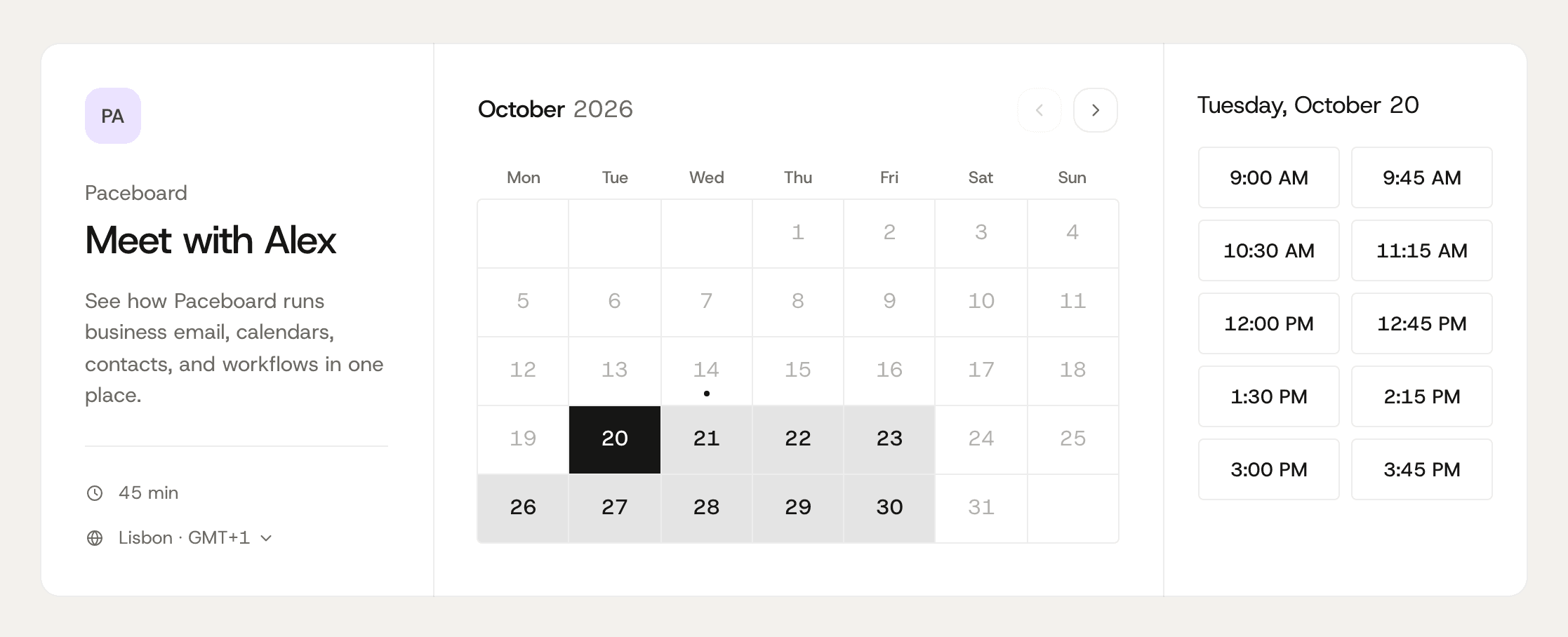
- Open times come from the mailbox calendar, and anything that clashes with an existing event is hidden.
- Buffers before and after meetings, minimum notice, and a limit on how far ahead people can book.
- Visitors see times in their own time zone and book without an account. The slot is re-checked when they confirm, so two people cannot take it.
- Each booking gets its own Zoom or Google Meet meeting once you connect the provider to the mailbox.
- The visitor receives a confirmation with a calendar invite and links to reschedule or cancel. Rescheduling keeps the same meeting link.
- Each domain can show its own logo on booking pages and calendar emails, so two brands in one account stay separate.
Because the booking page lives next to the inbox, the confirmation goes out from your domain and the client's reply lands in your mailbox. The same plan includes a newsletter for your clients and an AI assistant in beta that drafts replies. The calendar syncs with Apple Calendar and phone apps over CalDAV.Sources[12]Shipmail booking pages documentation[14]Shipmail audiences documentation[15]Shipmail Assistant documentation[16]Shipmail calendar documentation
Calendly and Cal.com win in a few places. Shipmail booking pages have no payments, round robin across a team, routing forms or Microsoft Teams links. The public link is on shipmail.to, with your domain in the path. If any of that matters to you, keep a scheduling tool.Sources[12]Shipmail booking pages documentation[13]Shipmail conferencing documentation
What booking pages cost for 1 person and for 3
For one person, Cal.com and Zoho Bookings cost $0 and Calendly Standard costs $10 a month billed yearly. For three people, Calendly Teams costs $48 a month, and Shipmail Pro costs $9 with email included.Sources[1]Calendly pricing[2]Cal.com pricing[9]Zoho Bookings pricing[11]Shipmail pricing
- One consultant with two meeting types: Calendly Standard $10 a month billed yearly, Cal.com $0, Zoho Bookings $0, Google Calendar $0 for one page only, Shipmail Solo $4 with two mailboxes on your domain.
- Three people who each take client calls: Calendly Teams $48 a month billed yearly, Cal.com Teams $36, Zoho Bookings Basic $18, Workspace Business Standard $42 with email, Microsoft 365 Business Basic $21 with email, Shipmail Pro $9 with email.
Compare like with like. Calendly, Cal.com and Zoho Bookings only do scheduling, so you still pay for email on top. Workspace, Microsoft 365 and Shipmail include the mailbox, so their price replaces two bills.
Worked example: a three-person studio over a year
A design studio of three takes intro calls and project reviews, and each person needs a mailbox. On Calendly Teams with Google Workspace Business Starter, that is $576 plus $252: $828 a year. With Cal.com Teams instead, $684.Sources[1]Calendly pricing[2]Cal.com pricing[6]Google Workspace payment plans
On Shipmail Pro the studio pays $90 a year on annual billing for 4 mailboxes, booking pages for each person, a hello@ team inbox and a client newsletter. It gives up round robin and payments at booking. For a studio that sends invoices after the work, that rarely matters.Sources[11]Shipmail pricing[12]Shipmail booking pages documentation[1]Calendly pricing
How to choose a Calendly alternative
Choose a Calendly alternative by what you already pay for. Cal.com's free plan gives one person more event types. Your Workspace or Microsoft 365 plan may already include booking pages. Shipmail includes them with business email.Sources[2]Cal.com pricing[1]Calendly pricing[11]Shipmail pricing
- You only need more event types for yourself: Cal.com free.
- Your team routes leads to the next free salesperson and takes payments: stay on Calendly Teams or use Cal.com Teams.
- You already pay for Workspace Business Standard or Microsoft 365: use the booking pages you have.
- You already use Zoho CRM or Zoho Mail: Zoho Bookings.
- You are choosing business email anyway: Shipmail, from $4 a month with booking pages, a newsletter and a team inbox included.
- Step 1
Recreate each event type
Copy the name, length, buffers, minimum notice and booking window of every Calendly event type, so guests see the same choices.
- Step 2
Connect the calendar and video provider
Connect every calendar that holds your busy time and your video provider. Then test one booking end to end.
- Step 3
Replace the links
Update your email signature, website buttons, proposal templates and saved replies with the new link.
- Step 4
Leave the old page up for a few weeks
Old emails still carry the Calendly link. Bookings already made stay on your calendar either way.
Sources16 sourcesVerified 2026-11-01
- [1]Calendly pricing
Free plan: one event type, one calendar connection, and Zoom, Google Meet or Teams links. Standard $10 per seat a month billed yearly, $12 billed monthly, with unlimited event types, Stripe and PayPal payments, and automations and reminders. Teams adds round-robin and team scheduling and routing forms; Teams $16 billed yearly, $20 monthly. Standard Plus $18 / $24 and Teams Plus $24 / $32. Enterprise from $15k a year and 50 seats.
calendly.com · 2026-10-19
- [2]Cal.com pricing
Free forever for 1 user with unlimited event types and calendars. Teams $12 per user a month billed yearly; Organizations $28 per user a month billed yearly; Enterprise custom. Conferencing integrations include Google Meet, Microsoft Teams and Zoom. No monthly-billing price shown.
cal.com · 2026-10-15
- [3]Google Calendar Help: appointment schedules
Appointment schedules create a booking page with Google Meet as a location. Some features require an eligible Google Workspace or Google One subscription.
support.google.com · 2026-10-15
- [4]Google Calendar Help: premium appointment schedule features
With a personal Google account or Workspace Business Starter you can create a single booking page. Premium features: multiple appointment schedules, email reminders, availability across calendars, payments, email verification and co-hosts.
support.google.com · 2026-10-15
- [5]Google Workspace pricing
Google Workspace pricing page; it shows the visitor's local currency (USD figures are in the payment-plans table). Business Starter: 30 GB pooled per user, Meet for 100 without recordings saved to Drive, no appointment booking pages, the Gemini assistant in Gmail, chat with Gemini, and Google Vids. Business Standard: 2 TB pooled, Meet for 150 with recording, appointment booking pages, Gemini in Gmail, Docs, Sheets, Slides, Drive, Meet, Chat and Vids. Business Plus: 5 TB, Meet for 500 with attendance tracking, Vault and eDiscovery. Business plans capped at 300 users. Enterprise: contact sales, no user minimum or maximum, Meet for 1,000 with in-domain live streaming, AI classification for Drive; AI Expanded Access sold as an add-on. Introductory discounts for new customers only, for the first 20 users, shown for November 15, 2026 to February 15, 2027, with amounts that varied between visits and countries.
workspace.google.com · 2026-11-01
- [6]Google Workspace payment plans
Flexible and annual payment plans, with a per-currency price table. USD per user per month: Starter 8.40 flexible / 7.00 annual, Standard 16.80 / 14.00, Plus 26.40 / 22.00. MXN: Starter 168 / 140, Standard 336 / 280, Plus 528 / 440. Licences on an annual plan can only be reduced at renewal.
knowledge.workspace.google.com · 2026-11-01
- [7]Microsoft Bookings overview
Bookings is included in Microsoft 365 Business Basic, Business Standard, Business Premium, Teams Essentials and enterprise plans. Each appointment booked as an online meeting gets a unique Teams link.
learn.microsoft.com · 2026-10-15
- [8]Microsoft 365 Business pricing
Microsoft 365 business plans, US prices per user a month on an annual subscription that auto-renews: Business Basic $7.00 (web and mobile Office apps, Outlook, Teams, 1 TB OneDrive, 100 GB mailbox plus 50 GB archive); Business Standard with Copilot $23.50 (desktop Office apps on up to 5 PCs or Macs, 5 tablets and 5 phones, Copilot in Word, Excel, PowerPoint, Outlook and Teams); Business Premium with Copilot $32.00 (adds advanced security and device management, 100 GB mailbox plus 1.5 TB archive); Apps for business $10.00 (desktop Word, Excel, PowerPoint, OneNote and Outlook with 1 TB; its plan card lists no Exchange email and no Teams). Versions without Teams: Basic $5.40, Standard with Copilot $20.30, Premium with Copilot $28.80. Every plan is capped at 300 users. Copilot Chat is included at no extra cost. Add-ons: Microsoft 365 Copilot Business $21.00, $18.00 in the first year for existing customers from July 1 to December 31, 2026; Teams Phone Standard $10.00; Defender for Business $3.00. Monthly commitment is offered, but the page lists only annual-commitment prices. One-month free trial with a card; 7-day cancellation window for a prorated refund. Volume discounts for enterprise agreements, typically 250 or more licenses.
microsoft.com · 2026-11-01
- [9]Zoho Bookings pricing
Forever Free plan for one user with online meetings and calendar sync. Basic US$6 per user a month billed yearly, US$8 monthly; Premium US$9 yearly, US$12 monthly. Meeting links are generated automatically when an appointment is booked.
zoho.com · 2026-10-15
- [10]Zoho Bookings integrations
Zoho Bookings adds Zoom, Google Meet, Microsoft Teams or Zoho Meeting links to booked appointments.
zoho.com · 2026-10-15
- [11]Shipmail pricing
Shipmail plan prices, mailbox limits, team access, and send limits.
shipmail.to · 2026-10-15
- [12]Shipmail booking pages documentation
Public booking links that offer slots from a mailbox calendar's real availability, with buffers, minimum notice, and a Zoom or Google Meet link on each booking.
shipmail.to · 2026-10-15
- [13]Shipmail conferencing documentation
Connect Zoom or Google Meet to a Shipmail mailbox from Settings, Conferencing, and add meeting links to calendar events and booking pages automatically.
shipmail.to · 2026-10-15
- [14]Shipmail audiences documentation
Audiences, CSV import (each file marked as subscribers, unsubscribed contacts, hard bounces, spam complaints, a suppression list or transactional-only contacts, so opt-outs from another platform stay excluded), segments, double opt-in, one-click unsubscribe, scheduling and a web archive. During the trial, newsletters work with lower limits: 500 newsletter sends a month and 100 active subscribers. Paid plans have no subscriber limit.
shipmail.to · 2026-10-27
- [15]Shipmail Assistant documentation
The AI assistant answers what needs a reply, finds conversations, files messages, sets up inbox rules for future mail and drafts replies. Its replies are normal drafts in the Drafts folder, Writing Style drafts from pasted examples, and organization admins can turn AI off for everyone.
shipmail.to · 2026-10-15
- [16]Shipmail calendar documentation
Shipmail's calendar feature documentation: events, sharing, and availability.
shipmail.to · 2026-08-04
Questions worth answering
Common questions about calendly alternative.
Is there a free Calendly alternative with unlimited event types?
Does Google Calendar have a free booking page?
Is Microsoft Bookings free?
What is the cheapest Calendly alternative for a team?
Can Shipmail booking pages add a Zoom or Google Meet link?
Do Shipmail booking pages cost extra?
Related guides
More on Shipmail pricing, comparisons, and team workflows.
Email, newsletters and booking pages on your own domain, in one plan.
Get started for free